
Download Wifi Camera App – Camera Setup Guide, IP Camera, Live View, Hikvision, Dahua
Overview
Wifi Camera App is an Android-based educational tool designed to assist users in setting up and managing network-connected IP cameras. Developed by myprank, the application serves as a comprehensive guide for configuring and monitoring cameras across various devices, including smartphones, tablets, TVs, and TV boxes. While not an official product from camera manufacturers, it functions as a reference resource for both novice users and professionals seeking to understand the process of connecting and using IP cameras on a Wi-Fi network.
The app’s primary purpose is to simplify the technical aspects of camera setup, offering step-by-step instructions for integrating cameras with home or office networks. It supports a wide range of IP camera models, with specific compatibility noted for Hikvision and Dahua devices. Users can access live video feeds from their cameras on larger screens, such as TVs, or on mobile devices, enabling real-time monitoring from anywhere within the network. Additionally, the app allows playback of recorded footage and alerts users to camera events, such as motion detection or system triggers.
Target users include home security enthusiasts, small business owners, and technical beginners who need clear guidance on camera integration. The educational nature of the app makes it ideal for learning the fundamentals of IP camera management. It is not intended as a full-featured surveillance platform but rather as a learning aid to help users understand the setup process and configuration options.
Key Features & Capabilities
- Step-by-Step Camera Setup Instructions – Provides detailed, beginner-friendly guidance on connecting IP cameras to a Wi-Fi network, including network configuration, IP assignment, and login setup.
- Live View from IP Cameras – Enables real-time streaming of video feeds from networked cameras to mobile devices, tablets, or TV screens, facilitating remote monitoring.
- Playback of Recorded Footage – Allows users to review previously recorded video clips stored on the camera or NVR (Network Video Recorder), supporting event-based playback.
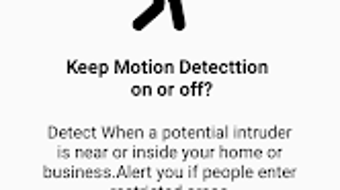
- Event Notifications – Delivers alerts for motion detection, camera disconnections, or other system events, helping users stay informed about camera activity.
- Compatibility with Major Brands – Works with a broad range of IP cameras, with verified functionality for Hikvision and Dahua devices.
- Multi-Device Support – Can be used on Android smartphones, tablets, TVs, and TV boxes, offering flexibility in viewing and control.
These features are particularly useful for users who are setting up home security systems or managing small-scale surveillance networks. The ability to view live feeds on a large screen enhances situational awareness, while playback functionality supports post-event review. The app’s focus on education ensures users gain hands-on knowledge, reducing dependency on external technical support.
User Interface, Workflow & Performance
The user interface of Wifi Camera App is designed to be intuitive and accessible, with a clean layout that prioritizes ease of navigation. Menus are logically organized, allowing users to move between setup guides, live view, and playback functions with minimal effort. The workflow follows a linear progression: from initial device discovery to configuration and monitoring, aligning with standard IP camera deployment patterns.
Navigation is straightforward, relying on standard Android UI components such as tabs, buttons, and dropdown menus. Users can switch between different camera devices and view multiple streams if supported. The app does not appear to include advanced customization options, which keeps the experience consistent and reduces cognitive load for beginners.
Performance observations are based on general software behavior patterns. The app is expected to function smoothly on modern Android devices with stable internet connectivity. However, exact performance details, such as CPU or RAM usage, were not specified by the developer. Stability during extended use and streaming sessions remains unverified. The developer did not provide additional system requirements or resource usage data.
Compatibility & System Requirements
Wifi Camera App is designed for Android devices and is available on the Google Play Store. It supports a range of devices, including smartphones, tablets, smart TVs, and TV boxes. The app is compatible with most IP cameras and specifically works with Hikvision and Dahua camera models.
Exact system requirements were not listed. The developer did not specify minimum Android versions, RAM, or storage needs. Installation size is not provided.
Compatibility information is limited to device types and camera brands. Users are advised to ensure their Android device meets standard app compatibility standards. The developer did not specify whether the app requires an internet connection for full functionality or if it supports offline operation.
Pros and Cons
Pros
- Free to download and use
- Comprehensive guide for IP camera setup
- Supports live view on large screens and mobile devices
- Compatible with popular brands like Hikvision and Dahua
- Simple, user-friendly interface for beginners
- Enables playback of recorded video and event alerts
Cons
- Not an official app from camera manufacturers
- Limited technical details on system requirements
- Exact performance and resource usage not disclosed
- May require additional setup steps outside the app
- Functionality depends on external camera configuration
FAQ Section
Is Wifi Camera App compatible with all IP cameras?
The app is compatible with most IP cameras and specifically supports Hikvision and Dahua devices. However, compatibility may vary depending on the camera’s firmware and network settings.
Can I use Wifi Camera App without an internet connection?
While the app can access local network cameras, it may require an active Wi-Fi connection to establish and maintain video streams. Offline functionality is not confirmed.
Is the app safe to download and use?
Wifi Camera App is available on the Google Play Store and is free. As with any third-party app, users should review permissions and ensure the source is trusted.
Does the app require a license or subscription?
No, the app is free to use with no hidden fees or subscription models. It does not include in-app purchases or premium features.
How often does the app receive updates?
Update frequency is not publicly disclosed. Users are advised to check the Google Play Store regularly for the latest version.
Final Thoughts + CTA
Wifi Camera App stands out as a valuable educational tool for anyone looking to understand and manage IP camera systems. Its clear, step-by-step guidance, combined with live viewing and playback capabilities, makes it accessible for both beginners and professionals. While not an official product, its compatibility with leading brands like Hikvision and Dahua adds practical value.
Although performance and system requirements are not fully detailed, the app’s user-friendly design and focus on learning provide a solid foundation for camera setup. It is particularly well-suited for home users and small business operators who want to monitor their premises without investing in complex software.
For those seeking a free, straightforward guide to IP camera configuration and remote viewing, Wifi Camera App delivers reliable support. Download Wifi Camera App now to master your camera setup with confidence.







